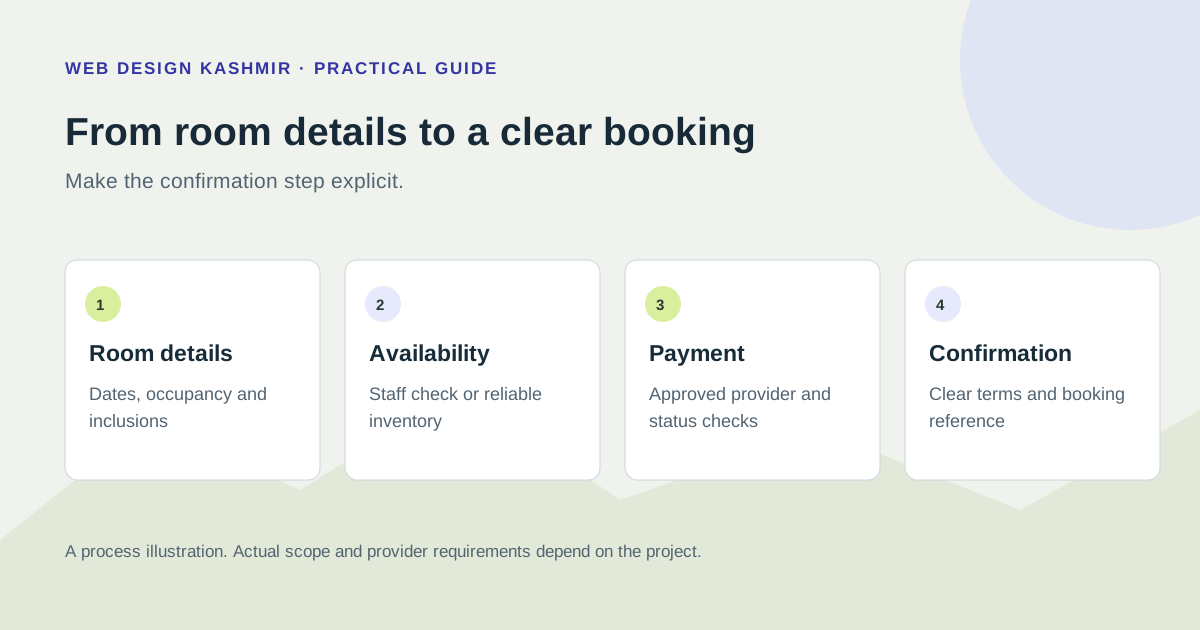
1. Compare channel costs using actual bookings
For a hotel, resort or houseboat, an OTA can bring discovery and operational services as well as a commission cost. An owned booking route offers more control, while bringing its own marketing, gateway, software and support costs. Treat the decision as a channel comparison rather than assuming every commission can become profit.
Start with a recent operating period. Record rooms available, occupied room nights, average realised room revenue, the share sold through each channel and the actual charges under the relevant agreement. Separate taxes and ancillary sales so the same revenue is not counted twice.
Illustrative arithmetic: if a channel produces ₹1,00,000 of eligible room revenue and its contracted commission is 15%, the commission is ₹15,000 before any other agreement-specific charges. This is an example, not a claim about any named platform. Moving some bookings to a direct route will only improve contribution if the costs and demand support it.
2. Explore a commission scenario
The worksheet below uses adjustable assumptions. Enter your own expected OTA share and the portion of those bookings that might move to a direct channel. The result estimates avoided commission; it is not a revenue forecast, guaranteed saving or website payback promise.
Hotel channel cost worksheet
Use your own operating figures and contract rates. Defaults are examples only. Entries stay in the page and are not sent or stored.
Variable direct costs can include gateway and revenue-related acquisition costs. Fixed costs can include extra software, marketing, hosting and support. Enter only additional costs and avoid double-counting.
Estimated current annual OTA commission:
Monthly average of that annual commission:
Commission avoided on the assumed shift:
Additional annual direct-channel costs:
Estimated annual contribution change:
Simple payback under these assumptions:
This model assumes the shifted bookings keep the same room revenue and occupancy. It does not predict demand or include unentered taxes, discounts, refunds, operating costs or financing. Seasonal results may vary. “Contribution change” is not guaranteed profit.
Calculation method
Annual room revenue = rooms × tariff × operating days × occupancy. OTA revenue = annual room revenue × OTA share. Current commission = OTA revenue × commission rate. Avoided commission = current commission × shifted share. Additional direct cost = shifted OTA revenue × variable direct cost rate + fixed annual costs. Annual contribution change = avoided commission − additional direct cost. Simple payback = one-time investment ÷ positive annual contribution change.
Review the assumptions with your booking records. Occupancy and realised tariffs can change by season, so multiplying one month by twelve is only a simplified scenario. Payment, marketing, software and support costs must be considered before calling any amount a net benefit.
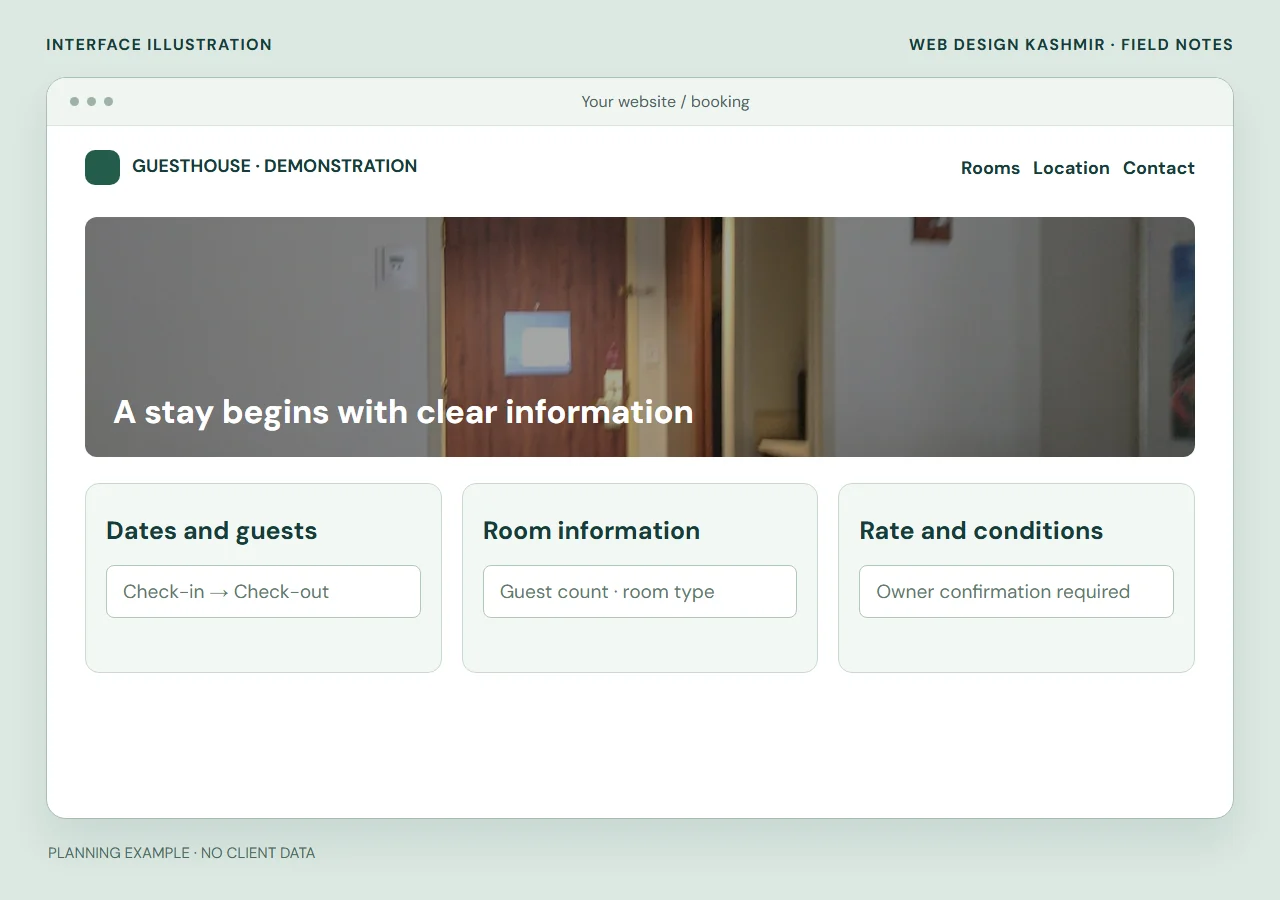
3. Remove uncertainty from the booking decision
Before choosing an engine, ask a few people to find a room for specific dates on your existing site. Note where they become uncertain: which room is pictured, how many people it accommodates, whether meals are included, the final amount due or the cancellation deadline.
- Show photographs of the relevant room type, not an unrelated premium room.
- Explain occupancy, extra-bed arrangements and any child-related pricing rules.
- Display the date-dependent rate and charges before asking for payment.
- Keep the property contact details and location instructions easy to find.
- Explain whether an enquiry, a deposit or a full payment confirms the reservation.
An enquiry form can be appropriate when staff must confirm availability. If the site uses that model, say so clearly and give a realistic response window. Do not label an unconfirmed request as an instant booking.
4. Specify the booking system around real edge cases
| Requirement | Acceptance test |
|---|---|
| Room and rate rules | Select different dates, room types and guest counts; verify the calculated price. |
| Inventory reservation | Have two sessions request the final room and confirm the documented hold or allocation behaviour. |
| Payment status | Test success, failure and an interrupted browser return without losing the order record. |
| Amendments | Change dates or guest counts and check the revised availability and charges. |
| Cancellations | Check the applicable policy, refund approval and room release. |
| Staff access | Let a staff member locate a booking, update an allowed field and export the required record. |
Define how the website connects to existing property-management or channel software. Calendar feeds and full inventory integrations are different capabilities. Refresh delays, room-type mapping and failure alerts must be understood before promising protection from double bookings.
A developer should document the integration’s actual behaviour. If staff must reconcile bookings manually, show that work in the operating checklist and price comparison.
5. Handle payments and customer communication carefully
Use a supported gateway integration and verify the payment server-side. Give each booking an identifiable reference and do not accept a screenshot as automatic payment confirmation. When using Razorpay, follow its webhook validation and testing guidance and handle repeated notifications safely.
Explain the deposit amount, remaining balance, confirmation process and relevant terms before the customer pays. Settlement timing depends on the merchant’s provider arrangement; do not advertise instant bank payouts unless that has been confirmed for the account.
Keep a reliable staff notification and customer confirmation route. Test a mistyped email address, a failed notification and a customer who closes the browser after payment. Staff should be able to inspect the recorded booking state and resolve it without guessing. Avoid putting sensitive guest information into analytics or public URLs.
6. Scope the project before comparing quotations
A brochure site, a booking enquiry site and a live inventory booking engine are different projects. State which one you are buying. The quote should list room types, rate seasons, guest rules, integrations, languages, content entry, payment flows, training and support.
| Scope | Questions to resolve |
|---|---|
| Property website | Who supplies room photographs, descriptions and policy wording? |
| Enquiry workflow | What details are collected, where do requests arrive and who responds? |
| Booking engine | Where is inventory authoritative and what confirms the booking? |
| Integrations | Which provider, account plan and API capabilities are required? |
| Maintenance | Who updates rates, tests bookings, maintains software and restores backups? |
The hotel and tourism website design service explains room pages, enquiry routes, booking connections and the checks before launch. See the current service packages for starting scope and request a written quote for the actual system. Hosting renewals, third-party software, gateway charges, translation and ongoing operations should be shown separately where applicable.
7. Publish useful property information for searchers
Keep the business identity, location and contact information accurate. Describe actual rooms and amenities and answer the questions guests ask before booking. Useful content can cover arrival instructions, accessibility details, check-in arrangements and genuinely different room options.
Search optimisation does not guarantee page-one or Maps placement. Avoid creating numerous pages that merely swap Srinagar, Gulmarg and Pahalgam into the same copy if the property and offer do not change. Use eligible business profiles and supported structured data accurately; an invented rating or amenity can mislead guests.
For a remote or international guest, clear language, currency presentation and a reachable support route matter. A translated page should include the complete booking information and terms the guest needs, not just a translated heading.
8. Review the full guest journey before launch
- Confirm room descriptions, photographs, rates and policy text with the property owner.
- Test mobile browsing, keyboard access and a slow connection with actual content.
- Check availability changes, concurrent bookings and every payment outcome in the test environment.
- Verify customer messages and staff notifications, including a cancellation or amendment.
- Prepare backup, restore and rollback procedures before replacing an existing site.
- Assign responsibility for ongoing rates, availability, enquiries and technical updates.
After launch, measure completed reservations, cancelled bookings and net contribution by channel. Keep a dated change log and compare similar periods. Publish results only when there is supporting evidence and permission. Related resources: tour operator website planning and mobile performance checks.
Property content checklist for hotels and houseboats
Have the property operator approve each fact before publication. A room photograph should show the room being sold, and a policy should match the terms actually applied to a booking.
- Rooms: occupancy, bed arrangements, included amenities, accessibility information and accurate photographs.
- Arrival: check-in windows, meeting point, parking or boat transfer arrangements, contact and practical directions.
- Rates: inclusions, taxes or extra charges, seasonal validity and any minimum stay.
- Booking terms: confirmation steps, deposit, cancellation, refund and no-show rules near the booking action.
- Operations: assign an owner to update room details, availability and enquiries; test family, late-arrival and cancellation scenarios on a phone.