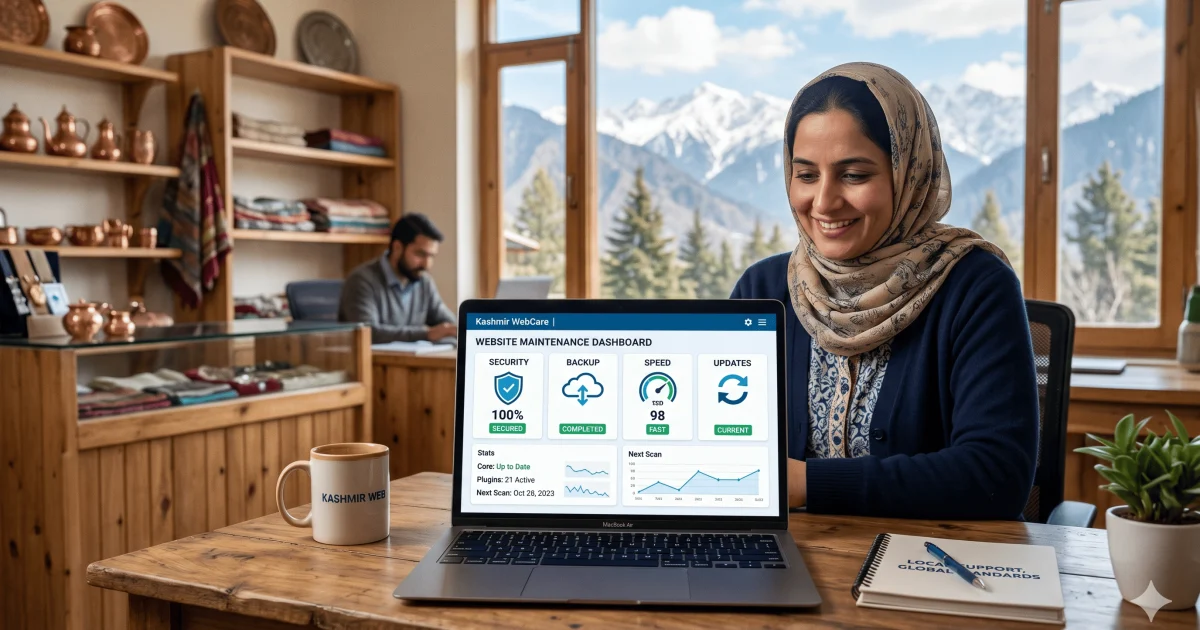
Website Maintenance in Kashmir: Complete Guide
A website can look perfect on launch day and still become slow, outdated, or unsafe after a few months.
This happens to many businesses in Kashmir. A school uploads old notices, a hotel form stops working, a clinic website becomes slow, an ecommerce checkout fails, or a WordPress plugin breaks the layout. The owner only notices when customers stop calling or complain that the website is not opening properly.
That is why website maintenance in Kashmir is not just a technical service. It is ongoing care for your online business.
In this guide, you will learn what website maintenance means, what should be included, why it matters for local businesses, how often it should be done, what mistakes to avoid, and how Web Design Kashmir can help keep your website secure, fast, and useful.
Whether you run a shop, clinic, school, hotel, coaching center, travel agency, or ecommerce store, this guide will help you understand website care in simple English.
Quick Answer
Website maintenance in Kashmir means regularly checking, updating, protecting, backing up, and improving a website so it stays fast, secure, mobile-friendly, and ready for customers. A good maintenance plan should include software updates, backups, malware checks, speed checks, broken link fixes, form testing, SEO checks, and content updates. For example, a WordPress business website should usually be checked at least once every month, while ecommerce websites may need weekly checks because payments, products, orders, and security are more sensitive.
Key Takeaways
- A website is not a one-time project. It needs regular updates, backups, security checks, and testing.
- WordPress websites need plugin, theme, PHP, and security checks because outdated software can create errors.
- Local businesses in Kashmir need fast mobile websites because many visitors use phones and mobile data.
- A maintenance plan should check forms, WhatsApp buttons, Google Maps, payment gateways, contact details, and page speed.
- Cheap website maintenance can become risky if it does not include backups, malware scans, and real support.
- SEO maintenance is important because old pages, broken links, slow speed, and missing meta details can hurt visibility.
- The best website care plan depends on your website type: business website, WordPress site, ecommerce store, school website, hotel website, or custom web app.
What Is Website Maintenance?
Website maintenance is the regular care your website needs after it goes live.
It includes checking whether your website is working properly, updating software, fixing bugs, improving speed, protecting the site from security issues, backing up files, and keeping content fresh.
Think of it like maintaining a shop, office, or vehicle.
You would not open a shop and never clean it. You would not drive a car for years without service. A website also needs regular care because technology, browsers, plugins, security risks, and customer expectations keep changing.
A basic website maintenance plan may include:
- Website backup
- WordPress updates
- Plugin updates
- Theme updates
- Malware scan
- Broken link check
- Contact form testing
- Speed check
- Mobile layout check
- Content changes
- SEO health check
- Uptime monitoring
- SSL check
- Hosting support
- Bug fixing
For a simple business website, monthly maintenance may be enough.
For a busy ecommerce website, weekly or even more frequent checks may be needed.
If your website was built on WordPress, you can also read this guide on hiring a WordPress developer in Kashmir:
https://webdesign-kashmir.com/blog/wordpress-developer-in-kashmir-hire-the-right-expert
Why Website Maintenance Matters in Kashmir
Many local businesses in Kashmir build a website and then forget about it.
At first, everything works. After some months, small problems start appearing. The website becomes slow. Images stop loading. A form stops sending emails. Google ranking drops. The mobile layout breaks. A plugin asks for an update. The owner does not know what to do.
This is where website maintenance becomes important.
1. Your Website Builds Trust
A customer may visit your website before calling you.
If the website is slow, outdated, or broken, the customer may think the business is not active. This is especially important for hotels, schools, clinics, consultants, ecommerce sellers, and service providers.
A maintained website shows that your business is active and serious.
2. Local Customers Use Mobile First
Many people in Srinagar, Baramulla, Sopore, Anantnag, Jammu, and other areas open websites from mobile phones.
If your website is hard to read on mobile, loads slowly, or has small buttons, visitors may leave. Maintenance helps you test mobile pages and fix problems before they hurt your business.
For location-based services, internal pages such as web design in Srinagar, web design in Baramulla, and web design in Jammu services can also support local visibility.
- https://webdesign-kashmir.com/locations/web-design-srinagar
- https://webdesign-kashmir.com/locations/web-design-baramulla
- https://webdesign-kashmir.com/locations/web-design-jammu
3. Security Risks Are Real
A website can be attacked through weak passwords, outdated plugins, old themes, unsafe forms, poor hosting settings, or missing SSL.
Even a small local website can face spam, malware, fake login attempts, and unwanted redirects.
Website maintenance reduces this risk through updates, backups, scans, and safe practices.
4. SEO Needs Regular Care
SEO does not stop after launch.
Google needs to crawl your pages, understand your content, and show useful results to users. If your website has broken pages, slow loading, missing meta titles, duplicate content, or poor internal linking, your search performance can suffer.
Maintenance helps keep your SEO foundation clean.
If your website is part of a larger growth plan, you can also study related articles on Web Design Kashmir’s blog:
https://webdesign-kashmir.com/blog
5. Small Issues Can Become Big Problems
A broken contact form may lose leads for weeks.
A failed payment gateway may stop ecommerce orders.
A missing backup may make recovery difficult after a hosting error.
A slow page may reduce inquiries.
Maintenance catches these problems early.
What Is Included in Website Maintenance?
A good website maintenance service should not only update plugins and say the work is done.
It should protect the full website experience: speed, security, content, SEO, mobile usability, and business functions.
1. Website Backups
Backups are one of the most important parts of maintenance.
A backup is a safe copy of your website files and database. If something breaks, the backup helps restore the website.
A good backup setup should include:
- Website files
- Database
- Images
- Theme files
- Plugin settings
- Product data for ecommerce
- Order data if needed
- Off-site backup storage when possible
For a simple business website, weekly or monthly backups may be enough.
For ecommerce websites, backups should be more frequent because new orders and customer data change often.
2. Software Updates
Websites often use CMS platforms, themes, plugins, libraries, and scripts.
These need updates for security, compatibility, and performance.
For WordPress websites, maintenance usually includes:
- WordPress core updates
- Plugin updates
- Theme updates
- PHP compatibility checks
- Database update checks
Updates should be done carefully. A plugin update can sometimes break a layout, form, or feature.
That is why a backup should be taken before important updates.
3. Security Checks
Security maintenance helps protect your website from common issues.
It may include:
- Malware scanning
- Firewall review
- Login protection
- Strong password checks
- SSL certificate check
- Admin user review
- File permission checks
- Spam protection
- Suspicious redirect checks
- Plugin vulnerability review
A small business website may not need advanced enterprise security, but it should not be left open to basic risks.
4. Speed Optimization
A slow website can lose visitors.
Maintenance should include regular speed checks and fixes such as:
- Image compression
- Browser caching
- Removing unused plugins
- Database cleanup
- Lazy loading images
- Reducing heavy scripts
- Checking Core Web Vitals
- Optimizing fonts
- Testing mobile loading
For Kashmir businesses, speed matters even more because many users browse on mobile networks.
5. Form and Button Testing
Many websites lose leads because contact forms silently stop working.
A maintenance check should test:
- Contact forms
- Quote forms
- WhatsApp buttons
- Click-to-call buttons
- Email links
- Booking forms
- Appointment forms
- Newsletter forms
- Checkout forms
This is very important for clinics, coaching centers, hotels, service providers, and ecommerce websites.
6. SEO Health Checks
SEO maintenance helps keep your website discoverable.
It may include:
- Checking title tags
- Checking meta descriptions
- Fixing broken links
- Updating old content
- Checking sitemap
- Checking robots.txt
- Reviewing indexed pages
- Adding internal links
- Improving image alt text
- Reviewing Google Search Console issues
- Updating schema markup
- Fixing duplicate pages
If your business wants long-term Google visibility, website maintenance and SEO should work together.
7. Content Updates
A website should not look abandoned.
Maintenance can include small content updates such as:
- Adding new photos
- Updating service details
- Updating pricing information
- Adding new testimonials
- Updating opening hours
- Posting notices
- Updating product pages
- Updating FAQs
- Replacing old banners
- Adding blog links
For example, a school website may need admission updates. A hotel may need seasonal package updates. A doctor may need updated consultation timings. A shop may need new product photos.
8. Uptime Monitoring
Uptime means your website is online and reachable.
If your website goes down, customers cannot open it. Uptime monitoring helps detect downtime quickly.
A good maintenance service should check whether the website is opening properly and help coordinate with hosting support when needed.
How Website Maintenance Works Step by Step
Website maintenance should follow a clear process.
This avoids random changes and reduces the risk of breaking the site.
Step 1: Website Audit
The first step is to check the current condition of the website.
This may include:
- Website speed
- Mobile layout
- WordPress version
- Plugin list
- Theme condition
- Hosting setup
- SSL status
- Form testing
- SEO basics
- Broken pages
- Security issues
- Backup status
This audit shows what needs urgent attention.
Step 2: Backup Before Changes
Before updates or fixes, a fresh backup should be taken.
This is important because even normal updates can sometimes create problems.
A backup gives a safe restore point.
Step 3: Update Carefully
Updates should be done in a safe order.
For WordPress, this may include updating plugins first, checking the website, then updating themes or core files if needed.
After updates, the main pages should be tested.
Step 4: Test Important Features
After updates, test the features that matter to the business.
For example:
- Can users submit the contact form?
- Does the WhatsApp button open correctly?
- Does the phone button work?
- Does Google Maps load?
- Does the checkout page work?
- Can users book an appointment?
- Does the menu work on mobile?
- Are images loading?
Testing is where many weak maintenance services fail.
Step 5: Fix Errors
If any errors are found, they should be fixed properly.
Common fixes include:
- CSS layout issues
- Broken forms
- Plugin conflicts
- Slow pages
- Image errors
- Broken links
- Missing redirects
- SSL warnings
- Mobile spacing issues
Step 6: Check SEO and Performance
After technical fixes, check SEO and speed.
This may include Search Console errors, page speed issues, sitemap status, indexing issues, and missing meta data.
Step 7: Send a Simple Report
A good maintenance service should explain what was done.
The report does not need to be complicated. It should clearly mention:
- What was checked
- What was updated
- What was fixed
- What needs attention
- Any next recommendation
This builds trust.
Website Maintenance for WordPress Sites
WordPress is popular because it is flexible and easy to manage.
But WordPress also needs regular care.
A WordPress website may use many moving parts: WordPress core, theme, plugins, page builder, forms, SEO plugin, cache plugin, security plugin, and hosting settings.
If these are ignored, problems can appear.
Common WordPress Maintenance Tasks
A WordPress maintenance plan should include:
- WordPress core update
- Plugin update
- Theme update
- Backup setup
- Malware scan
- Admin user review
- Login protection
- Database cleanup
- Cache check
- Image optimization
- Form testing
- SEO plugin review
- Broken link check
- Page speed check
- Mobile layout check
Why Plugin Updates Need Care
Many beginners think plugin updates are simple.
Sometimes they are. But sometimes a plugin update can conflict with a theme or another plugin.
That can break forms, sliders, checkout pages, or layouts.
This is why updates should be done after backup and followed by testing.
When You Need a WordPress Developer
You may need a WordPress developer if:
- Your website breaks after updates
- Your page builder is slow
- Your forms are not working
- Your WooCommerce checkout has errors
- Your site has malware
- Your admin dashboard is slow
- You need speed optimization
- You want to redesign old pages
- You need new features
For more detail, read:
https://webdesign-kashmir.com/blog/wordpress-developer-in-kashmir-hire-the-right-expert
Website Maintenance for Ecommerce Websites
Ecommerce websites need stronger maintenance than simple business websites.
Why?
Because ecommerce websites handle products, customers, payments, orders, emails, inventory, coupons, shipping, and checkout.
A small issue can directly affect sales.
Ecommerce Maintenance Should Include
- Product page checks
- Cart testing
- Checkout testing
- Payment gateway testing
- Order email testing
- Coupon testing
- Shipping rule check
- Stock status check
- Product image optimization
- Mobile checkout testing
- Security scan
- Customer account check
- Backup before updates
- WooCommerce update testing
- Abandoned cart or order issue review
Example: Kashmir Ecommerce Store
A Kashmir business selling saffron, dry fruits, pashmina, or clothing may depend on product pages and online payment.
If product images are too heavy, the website becomes slow.
If the payment gateway fails, customers cannot buy.
If the checkout form is too long, users may leave.
Maintenance helps keep the store usable.
For ecommerce planning, read:
https://webdesign-kashmir.com/blog/ecommerce-website-development-in-kashmir
Website Maintenance Cost in Kashmir
Website maintenance cost in Kashmir depends on the size, platform, features, and support level.
A simple static website costs less to maintain than a WordPress website. A WooCommerce store costs more than a normal business website because it needs payment, product, order, and security checks.
Main Cost Factors
Website maintenance cost depends on:
- Number of pages
- Website platform
- WordPress or custom code
- Number of plugins
- Ecommerce features
- Backup frequency
- Security level
- Speed optimization needs
- Content update frequency
- SEO reporting
- Emergency support
- Hosting support
- Monthly report requirements
Typical Maintenance Levels
The exact price should be quoted after checking the website, but maintenance usually falls into three levels.
| Maintenance Type | Best For | What It Usually Includes |
|---|---|---|
| Basic Maintenance | Small business website | Monthly updates, backup, form testing, small fixes |
| Standard Maintenance | WordPress or service website | Updates, security scan, speed checks, SEO checks, content edits |
| Advanced Maintenance | Ecommerce or busy website | Frequent backups, checkout testing, performance work, security review, priority support |
Do not choose only by the lowest price.
A cheap plan with no backup, no testing, and no security checks can become expensive later.
Website Maintenance Options Compared
Different businesses need different maintenance options.
Here is a simple comparison.
| Option | Pros | Cons | Best For |
| Do it yourself | Saves money, full control | Risky if you do not understand updates, backups, and security | Very small websites with no critical features |
| Freelancer support | Flexible and affordable | May depend on one person’s availability | Small fixes and simple websites |
| Agency maintenance | More complete support | Usually costs more than basic freelancer help | Business websites, WordPress, ecommerce, SEO-focused sites |
| Hosting-only support | Good for server issues | Does not usually fix website content, plugins, SEO, or design | Basic hosting problems only |
| Full website care plan | Covers updates, speed, security, SEO, reports | Needs monthly budget | Serious businesses that depend on their website |
For businesses that want design, development, SEO, and long-term support together, Web Design Kashmir is a practical local choice:
https://webdesign-kashmir.com/
Website Maintenance for Different Kashmir Businesses
Website maintenance is not the same for every business.
A hotel needs different checks than a school. A clinic needs different updates than an ecommerce store.
Hotels and Guest Houses
A hotel website should keep:
- Room photos updated
- Booking form working
- Contact number active
- Google Maps correct
- Seasonal offers updated
- Gallery optimized
- Mobile speed strong
Schools and Coaching Centers
A school or coaching website should maintain:
- Admission notices
- Fee or course pages
- Faculty details
- Result updates
- Contact forms
- Gallery
- Downloadable PDFs
- Mobile readability
Clinics and Doctors
A clinic website should maintain:
- Doctor timings
- Appointment form
- Phone number
- Service pages
- Location details
- FAQs
- Trust-building content
Shops and Local Services
A shop or service business should maintain:
- Product or service list
- Pricing if shown
- WhatsApp button
- Offers
- Photos
- Reviews or testimonials
- Location pages
Ecommerce Sellers
An ecommerce website should maintain:
- Product stock
- Prices
- Payment gateway
- Shipping rules
- Checkout speed
- Order emails
- Security
For local web project planning, also read:
https://webdesign-kashmir.com/blog/web-development-company-in-srinagar-web-design-kashmir
Common Website Maintenance Mistakes
Many website problems happen because of simple mistakes.
Here are the most common ones.
1. Updating Without Backup
This happens when someone clicks update without taking a fresh backup.
If the update breaks the website, recovery becomes difficult.
Fix:
Always take a backup before major updates.
2. Ignoring Contact Forms
Many owners check the homepage but forget to test forms.
The website may look fine, but inquiries may not reach your email.
Fix:
Submit a test form every month and confirm the email arrives.
3. Keeping Too Many Plugins
WordPress beginners often install many plugins for small features.
Too many plugins can slow down the website and increase security risks.
Fix:
Keep only necessary plugins and remove unused ones.
4. Not Checking Mobile Layout
A page may look good on desktop but broken on mobile.
Most local visitors may use phones, so this is a serious issue.
Fix:
Check important pages on mobile after every major change.
5. Uploading Large Images
Large images slow down websites.
This is common on hotel, school, restaurant, and ecommerce websites.
Fix:
Compress images before uploading and use WebP where possible.
6. Ignoring SEO After Launch
Some owners think SEO is only done once.
But pages need updates, internal links, fresh content, and technical checks.
Fix:
Review SEO health every month or quarter.
7. Depending Only on Hosting Support
Hosting support may help with server problems, but they may not fix website design, plugins, forms, SEO, or content.
Fix:
Use hosting support for hosting issues and website maintenance support for website issues.
Beginner Website Maintenance Checklist
Use this checklist once every month.
Security Checklist
- Check SSL certificate
- Update WordPress core
- Update plugins
- Update theme
- Scan for malware
- Check admin users
- Use strong passwords
- Remove unused plugins
- Remove unused themes
- Check login protection
Backup Checklist
- Take full website backup
- Take database backup
- Store backup safely
- Test backup restore if needed
- Increase backup frequency for ecommerce sites
Speed Checklist
- Compress new images
- Clear cache
- Check page speed
- Remove heavy unused scripts
- Test mobile loading
- Check Core Web Vitals
- Review hosting performance
Function Checklist
- Test contact form
- Test WhatsApp button
- Test phone link
- Test email link
- Test Google Maps
- Test booking form
- Test checkout if ecommerce
- Test menu on mobile
SEO Checklist
- Check Google Search Console
- Fix broken links
- Review sitemap
- Review robots.txt
- Add internal links
- Update old pages
- Add image alt text
- Check meta titles
- Check meta descriptions
- Review schema markup
Content Checklist
- Update business hours
- Update phone number
- Update service details
- Add new photos
- Remove outdated offers
- Update FAQs
- Add recent blog links
- Improve weak pages
How Web Design Kashmir Helps With Website Maintenance
Web Design Kashmir helps local businesses keep their websites working properly after launch.
The focus is not only on fixing errors. The goal is to keep your website secure, fast, updated, and useful for customers.
Website maintenance support may include:
- WordPress updates
- Plugin and theme checks
- Website backups
- Bug fixing
- Speed improvement
- Security checks
- Mobile testing
- Form testing
- Small content updates
- SEO checks
- Ecommerce support
- Landing page improvements
- Technical guidance
This is useful for businesses in Srinagar, Baramulla, Sopore, Jammu, Anantnag, Pulwama, Budgam, and other areas of Jammu & Kashmir.
If your website is old, slow, or hard to manage, maintenance can also lead to a redesign plan.
You can learn more about related services here:
- Web Design Kashmir: https://webdesign-kashmir.com/
- Web design in Jammu: https://webdesign-kashmir.com/blog/web-design-in-jammu-cost-process-seo-guide
- Common web design questions: https://webdesign-kashmir.com/faq
When Should You Start Website Maintenance?
You should start website maintenance as soon as your website goes live.
Many people wait until something breaks. That is the wrong approach.
Start maintenance early if:
- Your website is built on WordPress
- You receive leads from your website
- You sell products online
- You use payment gateways
- You update content often
- Your website has forms
- Your website gets Google traffic
- You cannot afford downtime
- Your website has not been checked in months
If your website has not been updated for more than three months, start with a full audit.
If it has not been updated for more than one year, do not update everything blindly. First take a complete backup and check plugin compatibility.
Your Next Step
Website maintenance in Kashmir is about protecting your website, your customers, and your business reputation.
The three most important things to remember are simple: keep backups, update safely, and test the features that bring you leads or sales. A website that is secure, fast, mobile-friendly, and updated can support your business every day.
Take 10 minutes today and check your website on mobile. Test your contact form, WhatsApp button, phone number, and loading speed.
If something feels slow, broken, or outdated, it is time for maintenance.
A healthy website works quietly in the background.
FAQ SECTION
Q1. What is website maintenance in Kashmir?
Website maintenance in Kashmir means regularly checking and improving a website so it stays secure, updated, fast, and easy to use. It can include backups, software updates, malware scans, speed checks, broken link fixes, form testing, mobile testing, SEO checks, and content updates. It is useful for businesses such as hotels, schools, clinics, shops, ecommerce stores, travel agencies, and service providers. A website should not be ignored after launch because small technical issues can affect calls, inquiries, bookings, and sales.
Q2. Why do I need website maintenance if my site is already live?
A live website can still become outdated, slow, unsafe, or broken. Software changes, plugins need updates, browsers change, hosting issues happen, and security risks appear. Your website may look fine on the homepage but still have hidden problems like broken forms, slow pages, expired SSL, missing backups, or SEO errors. Maintenance helps catch these problems early. If your website brings customers, leads, bookings, or online orders, regular maintenance is not optional. It protects your business.
Q3. How often should a website be maintained?
A small business website should usually be checked at least once a month. A WordPress website should be checked whenever important plugin, theme, or core updates are available. An ecommerce website may need weekly checks because orders, payments, product stock, customer accounts, and checkout functions are more sensitive. If your website gets regular traffic or handles payments, maintenance should be more frequent. The right schedule depends on your platform, features, traffic, and business risk.
Q4. What is included in website maintenance services?
Website maintenance services usually include backups, updates, security checks, malware scans, speed checks, broken link fixes, form testing, mobile layout checks, content updates, SEO health checks, uptime monitoring, and technical support. For WordPress websites, this may include plugin, theme, and WordPress core updates. For ecommerce websites, it may include payment gateway testing, checkout testing, product checks, and order email testing. A good maintenance plan should explain clearly what is included before you pay.
Q5. How much does website maintenance cost in Kashmir?
Website maintenance cost in Kashmir depends on the website type, number of pages, platform, update frequency, security needs, ecommerce features, and support level. A simple business website usually costs less to maintain than a WooCommerce store or custom website. The price also depends on whether you need only updates or full support with backups, security, speed, SEO checks, and content edits. Before choosing a plan, ask what is included and whether backups and testing are part of the service.
Q6. Can I maintain my website myself?
Yes, you can maintain a simple website yourself if you understand backups, updates, security, hosting, forms, and basic SEO. But many beginners make risky mistakes such as updating plugins without backup, ignoring broken forms, uploading large images, or deleting important files. If your website is important for business, professional maintenance is safer. You can still learn basic checks like testing your contact form, checking mobile layout, and updating content, but technical updates should be handled carefully.
Q7. Is WordPress website maintenance important?
Yes, WordPress website maintenance is very important because WordPress sites often use themes, plugins, forms, page builders, SEO tools, security tools, and cache plugins. These need regular updates and checks. If plugins become outdated, the site may become slow, unsafe, or broken. Good WordPress maintenance includes backup, updates, malware scanning, speed checks, form testing, database cleanup, and mobile testing. It should always be done carefully because updates can sometimes create conflicts.
Q8. What happens if I do not maintain my website?
If you do not maintain your website, it may become slow, outdated, insecure, or broken over time. Contact forms may stop working, pages may show errors, images may not load, plugins may fail, and Google may find SEO issues. In some cases, the website may get malware or unwanted redirects. For businesses, this can mean lost calls, lost inquiries, lost orders, and weaker trust. Regular maintenance helps prevent these problems before they become serious.
Q9. Does website maintenance help SEO?
Yes, website maintenance can help SEO because it keeps the technical foundation clean. Search engines need to crawl and understand your pages. Maintenance can fix broken links, update old content, improve page speed, check mobile usability, review sitemap issues, update meta details, and add internal links. It does not replace full SEO work, but it supports it. A website that is slow, broken, outdated, or hard to crawl can struggle to perform well in search results.
Q10. Do ecommerce websites need more maintenance?
Yes, ecommerce websites need more maintenance than normal business websites because they handle payments, orders, products, stock, customer accounts, coupons, shipping, and checkout. If one small feature breaks, sales can stop. Ecommerce maintenance should include backup, security checks, product page checks, cart testing, checkout testing, payment gateway testing, order email checks, speed optimization, and mobile checkout review. For WooCommerce stores, plugin updates should be handled carefully because checkout and payment features are sensitive.
ABOUT THE AUTHOR
Muzamil ahad is the founder of Web Design Kashmir and works with local businesses on website design, WordPress development, SEO structure, ecommerce setup, speed improvement, and long-term website support. His work focuses on helping beginners understand websites in simple language so they can make better decisions before hiring a developer or agency. Through Web Design Kashmir, he helps businesses in Srinagar, Baramulla, Jammu, and other areas of J&K build websites that are clear, mobile-friendly, secure, and easier to manage after launch.
Connect with Muzamil ahad:
LinkedIn: https://www.linkedin.com/in/muzamil-ahad/
Quora: https://www.quora.com/profile/MUZAMIL-AHAD-7
Facebook: https://www.facebook.com/webdesignkashmir/
Instagram: https://www.instagram.com/kashmirwebdesigner/
Medium: https://medium.com/@MUZAMIL-Ahad
X: https://x.com/WebDesignJandk
Pinterest: https://www.pinterest.com/MUZAMIL_AHAD/