Google Business Profile Setup & Ranking Guide for Kashmir (2026)
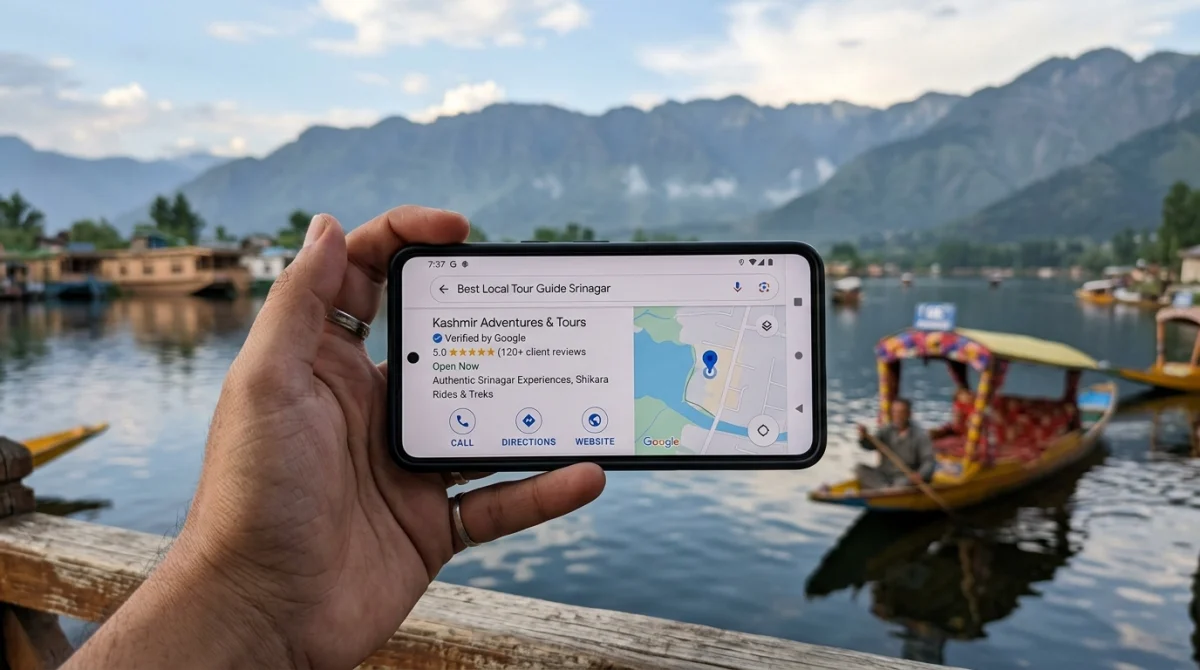
Quick Answer: How to Rank in Google Maps in Kashmir (2026)
To rank in the Google Maps Local 3-Pack in Kashmir, businesses must: (1) select an exact primary category rather than a generic tag, (2) complete 48-hour video verification to bypass valley postcard postal delays, (3) maintain 100% consistent NAP across IndiaMART, Justdial, and their website, (4) link a sub-second website with valid LocalBusiness schema, and (5) collect 30+ keyword-infused customer reviews.
Every single month in Jammu & Kashmir, over 1.8 million commercial searches are performed on mobile smartphones with local intent. Consider what happens in real life:
- A traveler landing at Srinagar International Airport searches for "reliable taxi service to Pahalgam" before exiting the arrival terminal.
- A bride shopping in Goni Khan or Maharaj Gunj searches for "best bridal makeup studio in Srinagar".
- A homeowner in Hyderpora or Sanat Nagar searches for "plumber near me" when a water line freezes during January sub-zero temperatures.
In all these situations, customers do not browse 10 pages of Google results. They look at the map pins, check the star rating, glance at recent photos, and tap the blue "Call" or "Directions" button. The business that holds spot #1 or #2 gets the customer. The business without a profile gets zero calls.
Below is your complete, battle-tested 2026 blueprint to claiming, verifying, and dominating Google Maps in Kashmir.
1. The Local 3-Pack Economy in Kashmir
Google Maps listings are not just directory entries; they are conversion engines. According to independent search research, 44% of people who search for a local business click on the 3-Pack, while only 29% click on organic search results and 19% click on paid ads.
Even more importantly for Kashmir business owners: Google Business Profile inquiries have a 68% immediate intent to purchase. When someone calls you directly from a Google Maps listing, they are not casually browsing — they are ready to book a hotel room, visit your clinic, or place an order for dry fruits right now.
2. Step-by-Step Setup: Accuracy, Pin Placement & NAP Consistency
Setting up your profile correctly on day one determines whether you rank in 3 weeks or spend 6 months trying to fix algorithmic penalties.
Claim Your Profile via Google Business Manager
Navigate to business.google.com using an official, dedicated Gmail account (e.g. info.yourbusiness@gmail.com). Never use an agency's personal account or an employee's temporary email. You must retain ultimate ownership of your primary profile.
Exact Real-World Business Name (Strictly No Spam)
Enter your exact legal or storefront business name as registered on your trade license or signboard. If your shop signboard reads "Al-Kareem Jewellers", enter exactly that. Do NOT append keywords like "Al-Kareem Jewellers - Best Gold Shop Lal Chowk Srinagar". Google's AI will flag and suspend your profile within 48 hours.
Pinpoint Precision on Kashmir Maps
Street addresses in Kashmir (such as "Near Jamia Masjid, Nowhatta" or "Opposite Municipal Park, Rajbagh") often lack standardized street numbers. Zoom in to maximum level on Google Maps satellite view and drag the red map pin directly onto your building entrance. This prevents tourists from getting misrouted down narrow alleyways.
3. The 2026 Video Verification Blueprint in Jammu & Kashmir
For over a decade, verifying a business in Kashmir meant waiting for a physical paper postcard sent from Google's India headquarters in Hyderabad. With local postal delays in Srinagar and peripheral districts (Anantnag, Baramulla, Kupwara), postcards took 3 to 6 weeks or frequently got lost in transit.
In 2026, Google defaults almost all Kashmir profiles to Video Verification. You must record a single, continuous, unedited video directly through your smartphone browser. If you fail this verification once, your profile gets flagged for manual review which can take weeks.
The Flawless 90-Second Video Verification Script:
Before starting the video recording, prepare your props and follow this exact sequence without cutting the camera:
1. Exterior & Location (Seconds 0–25): Stand on the street outside. Film your permanent building signboard, the street name, adjacent recognized landmarks, and your shop front.
2. Access & Unlocking (Seconds 25–45): Walk toward your entrance and unlock the front door or roll up the shutter on camera. This proves you have physical possession of the premises.
3. Interior & Commercial Equipment (Seconds 45–70): Walk inside. Pan across your stock, client reception area, POS billing machine, or professional workstations.
4. Proof of Management (Seconds 70–90): Place your official GST registration certificate, J&K Bank merchant QR stand, MSME Udyam certificate, or utility bill under the camera. Hold steady for 5 seconds so Google's AI optical character recognition (OCR) can read your business name and address matching your profile.
4. Strategic Category Selection: The Primary Category Secret
Your Primary Category is the single most influential ranking factor in Google's local algorithm. Google allows you to select one Primary Category and up to nine Secondary Categories.
Most business owners in Kashmir make the mistake of picking generic categories. Here is the strategic difference:
| Kashmir Business Type | Generic (Poor Ranking) | Strategic Primary Category (Top 3 Ranking) |
|---|---|---|
| Pashmina & Shawl Showroom | Clothing Store | Handicraft Exporter or Pashmina Shop |
| Dal Lake Heritage Houseboat | Hotel | Houseboat or Heritage Hotel |
| Dental Clinic in Karan Nagar | Doctor | Dental Clinic / Dentist |
| Wazwan Restaurant in Rajbagh | Food Court | Kashmiri Restaurant / North Indian Restaurant |
| Gulmarg Ski & Trek Operator | Travel Agency | Tour Operator / Ski Resort |
Secondary Categories: Use secondary categories to capture related search queries. For example, a dry fruit store in Lal Chowk should have "Dry Fruit Store" as primary, and "Spice Store", "Organic Food Store", and "Gift Shop" as secondary categories.
5. The Three Pillars of Google 3-Pack Algorithm
Google’s official search documentation confirms that local rankings are calculated by three primary factors:
1. Relevance
How well your profile matches what the user is searching for. Achieved by complete category selection, filling out all 100+ attribute checkboxes (e.g. "Wi-Fi", "Wheelchair accessible", "UPI Payments accepted"), and publishing a comprehensive list of services with detailed descriptions.
2. Distance (Proximity)
How close your business location is to the person performing the search. While you cannot change where the searcher is standing, you expand your effective ranking radius by collecting reviews mentioning specific neighborhoods (e.g. "Best consultation in Rajbagh", "Fast delivery to Sanat Nagar").
3. Prominence
How well-known and reputable your business is offline and online. Driven by review velocity, 5-star ratings, backlinks to your website from local portals (Greater Kashmir, Rising Kashmir, JK Tourism), and social citations.
6. The Review Acceleration Framework: Getting 50+ Real Reviews
Reviews are the currency of Google Maps. A business with a 4.9-star rating across 120 reviews will consistently outrank a competitor with 4 reviews, even if the competitor is slightly closer in physical distance.
Never Buy Fake Reviews: In 2026, Google uses advanced behavioral pattern detection. If 15 reviews suddenly appear on your Kashmir listing from IP addresses in Bangladesh or Russia with brand-new Gmail accounts, Google will either shadow-ban all reviews or suspend your listing entirely. Authentic local reviews from real consumer accounts are non-negotiable.
How to Build an Automated In-Store Review Funnel:
- Generate Your Direct Shortlink: Inside your Google Business dashboard, click "Ask for reviews" to copy your unique shortlink:
https://g.page/r/[your-code]/review. - Print Countertop QR Codes: Generate a high-resolution QR code pointing directly to that URL. Print it on a sturdy acrylic stand and place it at your billing counter with a polite prompt: "Loved our service? Scan to leave a quick Google review!"
- WhatsApp Post-Purchase Follow-up: 2 hours after a customer receives their dry fruits, checks out of your houseboat, or finishes their dental appointment, send an automated WhatsApp text: "Thank you for visiting us today! Would you mind taking 30 seconds to share your experience on Google? It helps our local family business immensely: [link]"
- Always Respond to Every Review: Reply to all positive and critical reviews within 24 hours. Naturally mention your service and location in your replies: "Thank you Rahul! We are delighted you enjoyed your shikara ride on Dal Lake with us."
7. Avoiding the 5 Fatal Kashmir Profile Mistakes
🛡️ Compliance Checklist to Prevent Suspension
- Mistake 1: Keyword Stuffing in Name: Never add adjectives, phone numbers, or city names unless they are part of your legal registered name.
- Mistake 2: Virtual Offices or Co-Working Spaces: Google strictly prohibits setting up public listings at shared desks without permanent signage and dedicated staff during business hours.
- Mistake 3: Frequent Address Edits: Moving your map pin back and forth between Srinagar and your home address triggers a re-verification lock immediately.
- Mistake 4: Setting 24 Hours Open Lazily: Unless you are an emergency hospital or 24/7 pharmacy, set accurate shop opening hours (e.g. 10:00 AM to 8:00 PM). If a customer arrives when you are closed, they will leave a 1-star review.
- Mistake 5: Multiple Profiles for the Same Store: Creating duplicate listings to capture extra keywords splits your authority and leads to both profiles being deleted.
8. Connecting Your Profile to a High-Speed Website for Maximum Authority
A common misconception among local entrepreneurs is thinking that a Google Business Profile replaces the need for an official website. The reality is the exact opposite: they amplify each other.
Google’s search algorithms cross-reference your Business Profile with the website linked under the "Website" button. If that website features:
- Structured
LocalBusinessJSON-LD Schema matching your exact name, phone number, and coordinates. - Sub-second loading speed on mobile 4G networks.
- Detailed dedicated service landing pages (e.g.
/services/hotel-booking,/services/pashmina-shawls).
Google gains mathematical confidence that your business is legitimate, prominent, and authoritative — consistently pushing your map pin to position #1 across the entire valley.